Highlight as you read
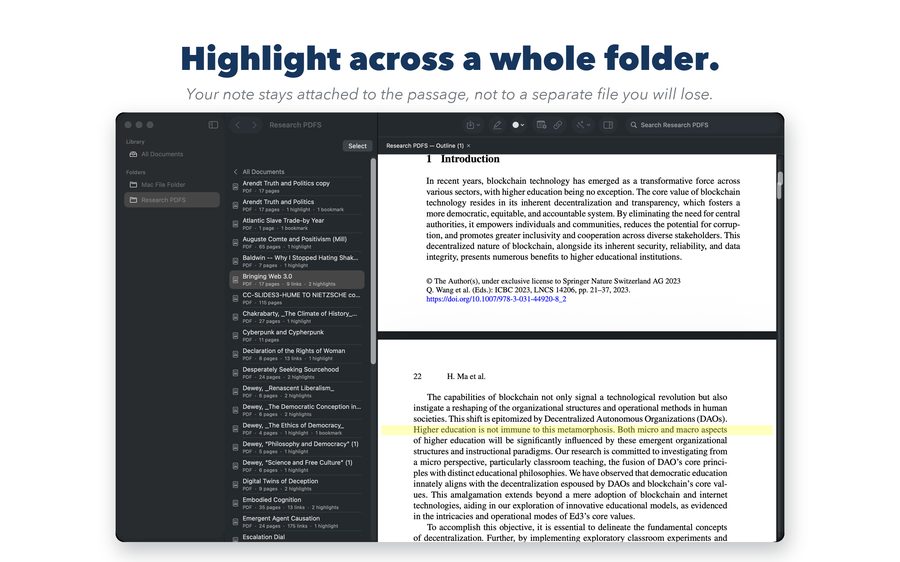
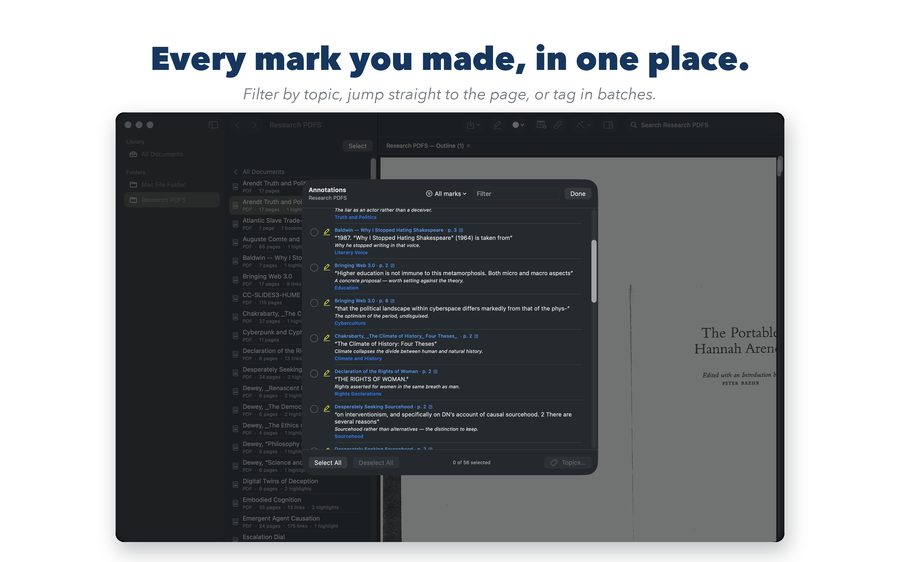
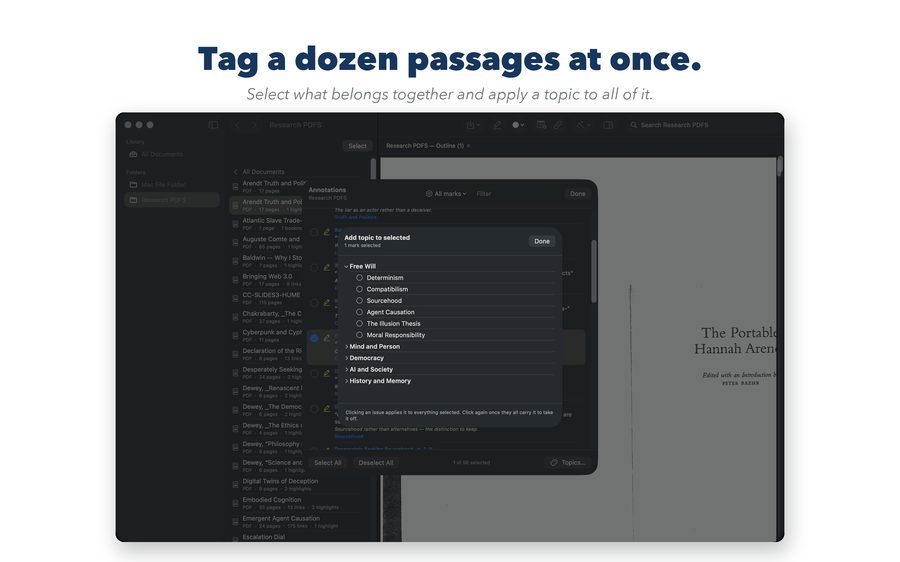
Highlight passages and drop bookmarks with notes, in any PDF in the folder. Tag each one with your own topics as you go — or tag them later, in batches.
For researchers, students, and anyone who reads for a living
Research Linker lets you highlight across an entire folder of PDFs, tag what you find with your own topics, and turn all of it into a single outline — where every quote, note, and bookmark links straight back to the page it came from. Nothing is uploaded. Everything stays on your device.
The problem
You have read everything. The passage you need is somewhere in one of forty PDFs, you remember roughly what it said, and finding it again means opening files one at a time. The notes you took live somewhere else entirely, and by the time you are writing, the connection between a note and the page that supports it is gone.
Highlight passages and drop bookmarks with notes, in any PDF in the folder. Tag each one with your own topics as you go — or tag them later, in batches.
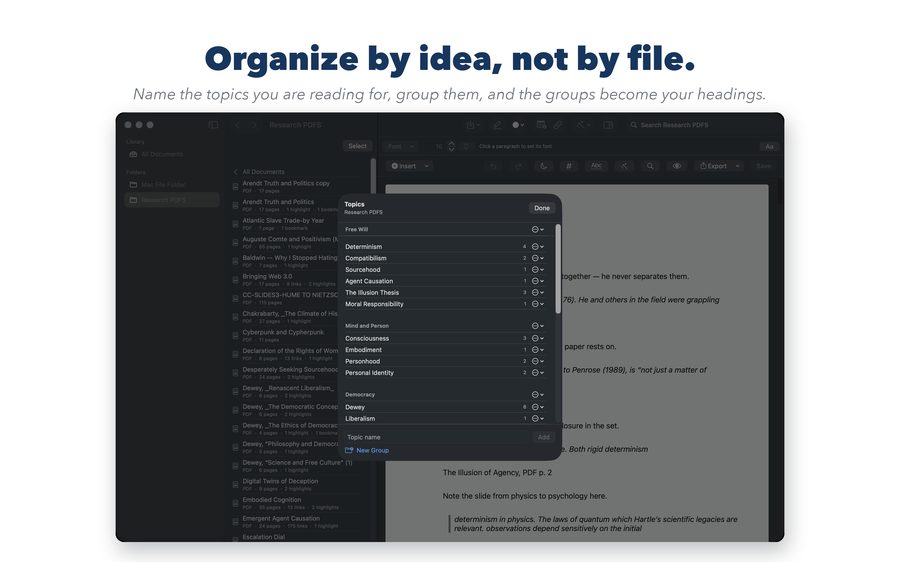
Group your topics the way your argument is actually structured. A single passage can carry more than one topic, because good evidence usually does.
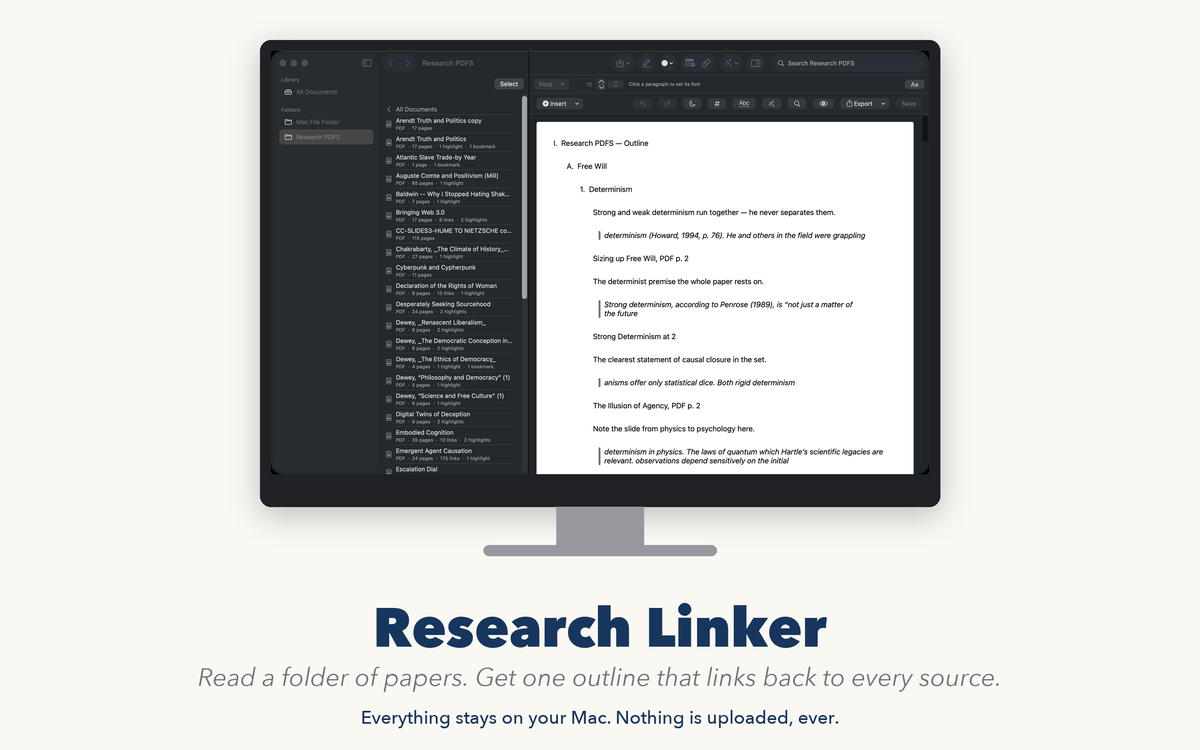
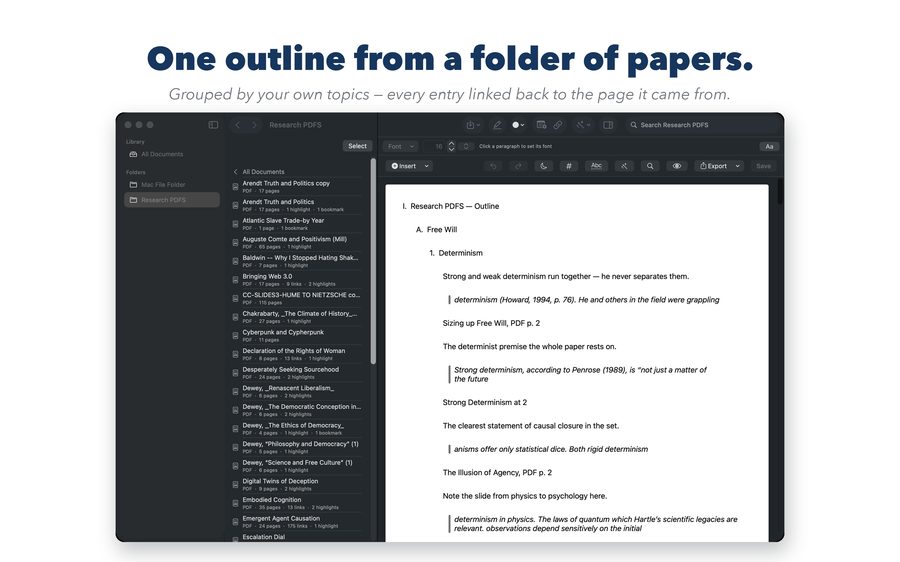
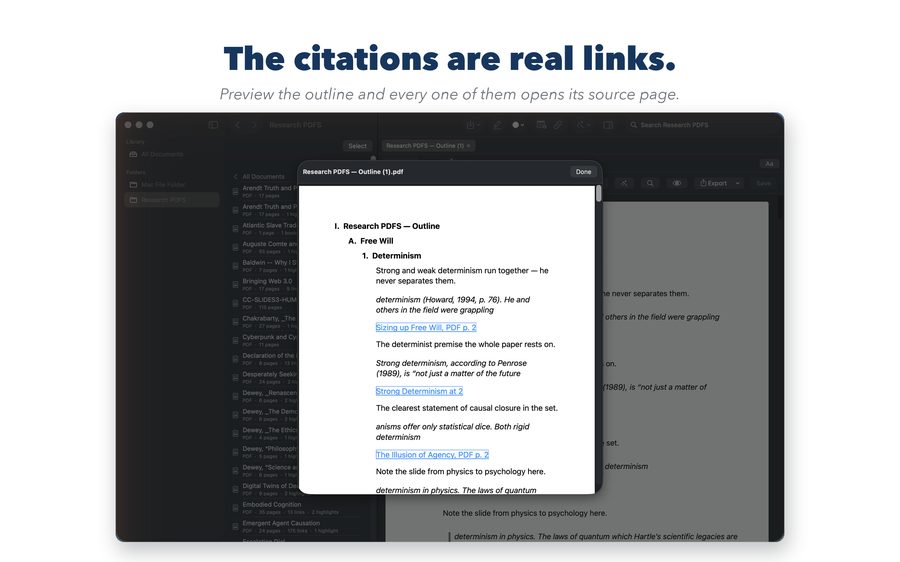
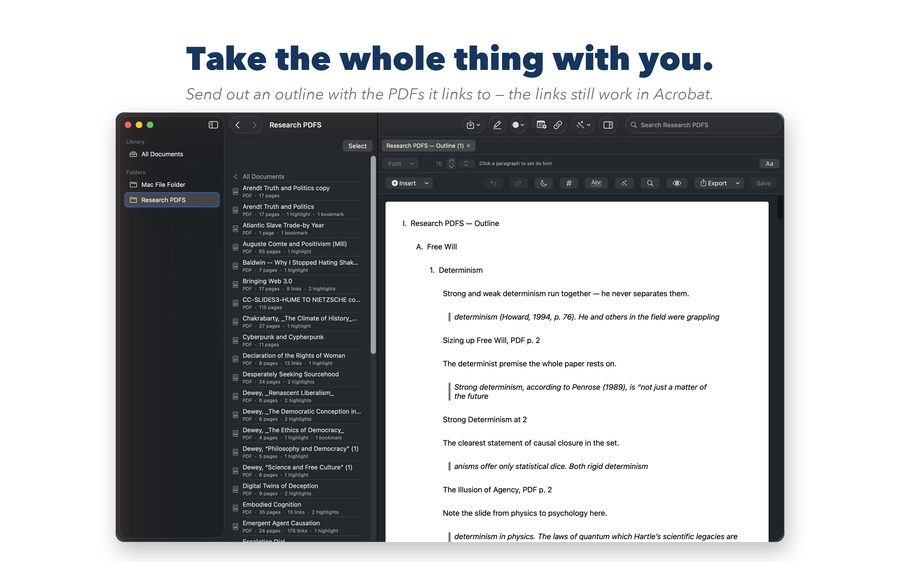
One outline, under your group headings, with the quoted passage, your note, and a citation that links back to the exact page. Keep reading and add the new material later without losing what you wrote.
How it works
Most PDF apps let you highlight. What they leave you with is highlights — scattered across files, in the order you happened to read them. Research Linker's outline is organized by your topics, and every entry stays connected to its source, so checking a quote is one click rather than a hunt.
Click a citation in your outline and the source document opens at that page, at that passage. When you are writing and need to confirm exactly what the author said, the answer is one click away — not a search through forty files.
Older material is often a scan with no text in it at all. Research Linker reads the text and writes it into the PDF, so you can search it, highlight it, and quote it — and so can anyone you send it to. It runs on your Mac or iPad, not on a server.
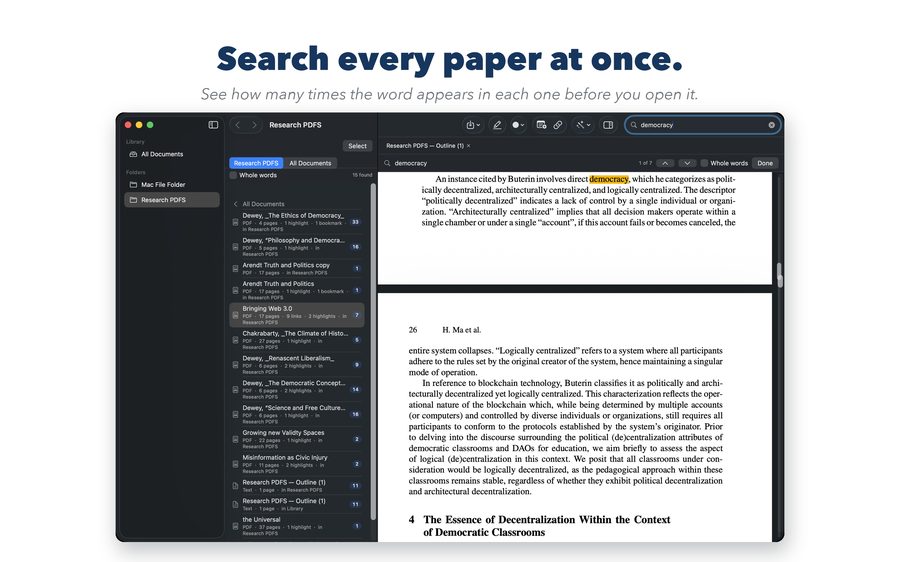
Search every document in a folder and see how many times the word appears in each one, so you know which paper to open first. Whole-word matching keeps a search for a short word from drowning in near-misses.
The built-in editor writes documents that hyperlink straight into your PDFs, builds a table of contents automatically, and exports to Word, PDF, or Markdown when it is time to hand something in.
Features
With notes, across a whole folder, organized by the topics you define. Bookmark a page that matters even when there is no passage to quote.
Keep reading and add the new marks to an outline you have already started. What you wrote yourself is left alone.
For scanned PDFs, written into the file itself. Redo a page that came out badly instead of living with it.
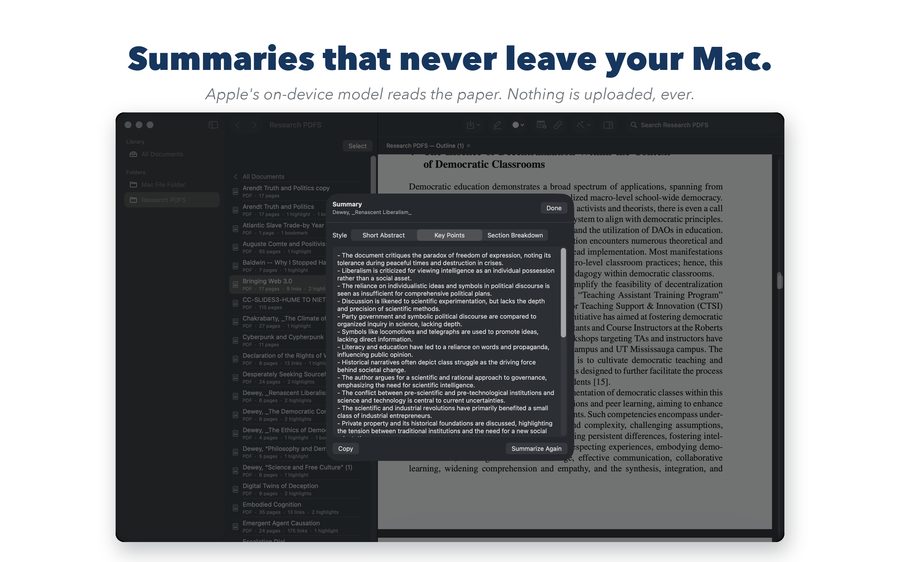
Summarize a paper using Apple's on-device model. Nothing is uploaded, which matters for unpublished work.
Write a draft whose citations open the source PDF at the right page — and still work after you export it.
Word, PDF, or Markdown. Export your folders and files at any time, including during the free trial and after it ends.
Privacy
Research Linker has no account, no cloud, and no analytics. Your PDFs, highlights, notes, and outlines live on your device. The text recognition and the summarizing both run locally, on your own hardware — unpublished research does not get uploaded to anyone's server, including ours.
See it in action
From a folder of unread papers to one outline that links back to every source.
Swipe to browse →
Price
Everything is free for 14 days, starting the first time you open it — no card, nothing to cancel. After that, a single purchase unlocks the app permanently.
Nothing renews and there is nothing to cancel. The purchase is tied to your Apple Account, so it covers both the Mac and the iPad app and restores after a reinstall or on a new device.
Even before you buy, and after the trial ends, you can always export and share your folders and files. A trial that expires does not take your work with it.
Research Linker is a one-time purchase made through your Apple Account at confirmation. Nothing renews. See the Terms of Use and Privacy Policy.
Support
Write to help@suttonapps.com and a person will answer. Research Linker includes a full illustrated user guide — open it any time from Help inside the app.